There are various ways to earn money from your blog. Many webmasters start blogging for the sole purpose of making money but majority of them give up because they don't see any practical earnings in the beginning. However, money making from blog takes some time and the results are shown to those who continue even after seeing a little or no income at all in beginning. The real thing is to keep hanging up for some time, may be an year.

Here is a list of 5 different ways of making money to your blog. Choosing the right option for yourself depends upon your niche and the way of your blogging and you should give a research as to which form will earn you more. Or you can try some for days, and find out the best one for yourself.
 1. Pay Per Click. This is the most widely used form of earning. As the name suggest, you get paid when a visitor clicks on the ads shown on your website. This method of earning is beneficial with websites/blogs receiving a lot of traffic, since only a small number of visitors will gonna click on your ads. The CTR (click through rate) is the number of clicks per hundred visitors. A normal optimized for ads website tend to receive about 3-4 % of CTR on an average. So earning from this method really needs a good amount of traffic.
Some of the most widely used PPC programme are
▌Google AdSense
▌Chitika
▌Clicksor
2. CPM Advertising. CPM is Cost per Mile. Instead of earning from the clicks you get on the ads, you get paid by the number of times the ads are shown to the visitors. Put it simple, the more pageviews you get, the more you earn, irrespective of any clicks. CPM advertisement is a sure shot mode of earning.
 The rates are fixed per 1000 page views. That means if you get 10,000 visitors (page views) and the ad network is paying you a CPM of 1$, then you will make 10$. As you can see, for earning a small amount you need a lot of visitors. CPM advertising is best suitable for blogs with very high traffic. Getting a few hundred visitors will earn you penny for a day. The plus point is that you are sure of those pennies irrespective of clicks.
There are various CPM advertising networks like
▌Casale Media
▌Clicksor
▌BurstMedia
▌Tribal Fusion
▌Value Click media.
Some of these have minimum requirements. You can have a look on them by visiting their websites.
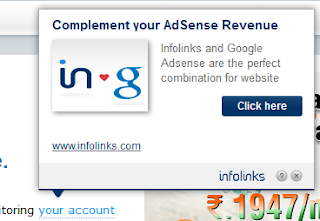 3. In-Text Ads. In-Texts-ads are contextual advertisements where keywords from your posts are selected and an advertisement is connected to it. The keywords are double underlined or dotted, and when a visitors hovers mouse on those keywords, the advertisement is pop up-ed. Here the payment is usually through cost per mile. The benefit of In-text advertising is that they don't take any space on your blog and normally do not lower your site speed.
The two most widely used In-Text Ads schemes are
▌Infolinks
▌Kontera
4. Affiliate Marketing. With this kind of advertisement, you earn commission from each sale that is done through your referral link. You write reviews about products and when some one buys any product through your referral, they pay you a commission.
Lets say a network pays you a commission of 5%. If someone buys a thing with cost price Rs 100,000, you will make Rs 5000. That's a lot of amount to earn from CPC and CPM ads.
Affiliate marketing is favourite among some of the blogger since chances of earning much more is higher. However, setting up a fan base, reviewing products, and compelling people to buy a product is a hectic task.
Some of the affiliate Marketing networks are
▌ClickBank
▌AffiliateWindow
▌Commission Junction
▌Amazon
5. Selling ads spaces on your blog. Selling ad spaces on your blog to display advertising banners is a good way of monetizing blogs. This is a profitable thing, since all the money comes to you and no middle person/ company takes a part of your income. The interested advertisers contacts you, a deal is done and you are paid for banners you display on your blog. These can be CPC banners or CPM banners depending upon the advertisers choice.
 You can still go to third party for managing of Selling-buying ads so that you don't have to deal with the complexities. However, then the third party will eat up a part of your income.
The major advantage is that you have the option of deciding the minimum rates for the ads you will show on your blog.
Do you use any other method to monetize your blog? Feel free to share it to the readers of this blog. Time to make some money.
mb.

Here is a list of 5 different ways of making money to your blog. Choosing the right option for yourself depends upon your niche and the way of your blogging and you should give a research as to which form will earn you more. Or you can try some for days, and find out the best one for yourself.
 1. Pay Per Click. This is the most widely used form of earning. As the name suggest, you get paid when a visitor clicks on the ads shown on your website. This method of earning is beneficial with websites/blogs receiving a lot of traffic, since only a small number of visitors will gonna click on your ads. The CTR (click through rate) is the number of clicks per hundred visitors. A normal optimized for ads website tend to receive about 3-4 % of CTR on an average. So earning from this method really needs a good amount of traffic.
 Some of the most widely used PPC programme are
▌Google AdSense
▌Chitika
▌Clicksor
2. CPM Advertising. CPM is Cost per Mile. Instead of earning from the clicks you get on the ads, you get paid by the number of times the ads are shown to the visitors. Put it simple, the more pageviews you get, the more you earn, irrespective of any clicks. CPM advertisement is a sure shot mode of earning.
 The rates are fixed per 1000 page views. That means if you get 10,000 visitors (page views) and the ad network is paying you a CPM of 1$, then you will make 10$. As you can see, for earning a small amount you need a lot of visitors. CPM advertising is best suitable for blogs with very high traffic. Getting a few hundred visitors will earn you penny for a day. The plus point is that you are sure of those pennies irrespective of clicks.
 There are various CPM advertising networks like
▌Casale Media
▌Clicksor
▌BurstMedia
▌Tribal Fusion
▌Value Click media.
Some of these have minimum requirements. You can have a look on them by visiting their websites.
 3. In-Text Ads. In-Texts-ads are contextual advertisements where keywords from your posts are selected and an advertisement is connected to it. The keywords are double underlined or dotted, and when a visitors hovers mouse on those keywords, the advertisement is pop up-ed. Here the payment is usually through cost per mile. The benefit of In-text advertising is that they don't take any space on your blog and normally do not lower your site speed.
 The two most widely used In-Text Ads schemes are
▌Infolinks
▌Kontera
4. Affiliate Marketing. With this kind of advertisement, you earn commission from each sale that is done through your referral link. You write reviews about products and when some one buys any product through your referral, they pay you a commission.
Lets say a network pays you a commission of 5%. If someone buys a thing with cost price Rs 100,000, you will make Rs 5000. That's a lot of amount to earn from CPC and CPM ads.
Affiliate marketing is favourite among some of the blogger since chances of earning much more is higher. However, setting up a fan base, reviewing products, and compelling people to buy a product is a hectic task.
Some of the affiliate Marketing networks are
▌ClickBank
▌AffiliateWindow
▌Commission Junction
▌Amazon
5. Selling ads spaces on your blog. Selling ad spaces on your blog to display advertising banners is a good way of monetizing blogs. This is a profitable thing, since all the money comes to you and no middle person/ company takes a part of your income. The interested advertisers contacts you, a deal is done and you are paid for banners you display on your blog. These can be CPC banners or CPM banners depending upon the advertisers choice.
 You can still go to third party for managing of Selling-buying ads so that you don't have to deal with the complexities. However, then the third party will eat up a part of your income.
 The major advantage is that you have the option of deciding the minimum rates for the ads you will show on your blog.
Do you use any other method to monetize your blog? Feel free to share it to the readers of this blog. Time to make some money.
mb.


